Beta Testers

Be on the cutting edge of MACE.
Test new features before they roll out to everyone, and help shape them with your feedback.
What Is the Beta Channel?
The beta channel gives you early access to the newest MACE features while they're still being tested. When issues are reported or features are requested, fixes and new capabilities are deployed to the beta app first, before the stable release. That means everything you get in beta has a real purpose: it's being validated by real users on real systems before it goes out to the masses.
Running beta is how you stay on the cutting edge, and how you directly influence what ships in the next stable release.
How Version Numbers Work
Beta always carries the upcoming release. Whatever version the stable channel is on, the beta channel is already testing what comes next, whether that is the next major release or the next round of fixes. Each part of the version number tells you the size of the release:
1.X.XReserved for complete overhauls of the app.
X.2.XNew features and capabilities.
X.X.1Fixes and small improvements.
So a build labeled 1.2.0-beta.7 is the seventh beta of the upcoming 1.2.0 major release, on its way to becoming the next stable.
Why Your Feedback Matters
Beta is where MACE needs the biggest community support. Quality requires testing, and the more people exercising new features and reporting what they find, the better every stable release becomes.

Report it on GitHub Issues so it gets fixed before stable ships.

Request features on GitHub Issues. Popular requests get prioritized.

Join the conversation in GitHub Discussions and connect with other testers.
Joining the Beta
There are two ways to get on the beta channel:
Option 1: Switch Channels in the App (Recommended)
- 1Open MACE ▸ App Settings… → Updates
- 2Set Release Channel to Beta instead of Stable
Ships as Stable, so you have to opt in. See Settings → Updates for the full reference.
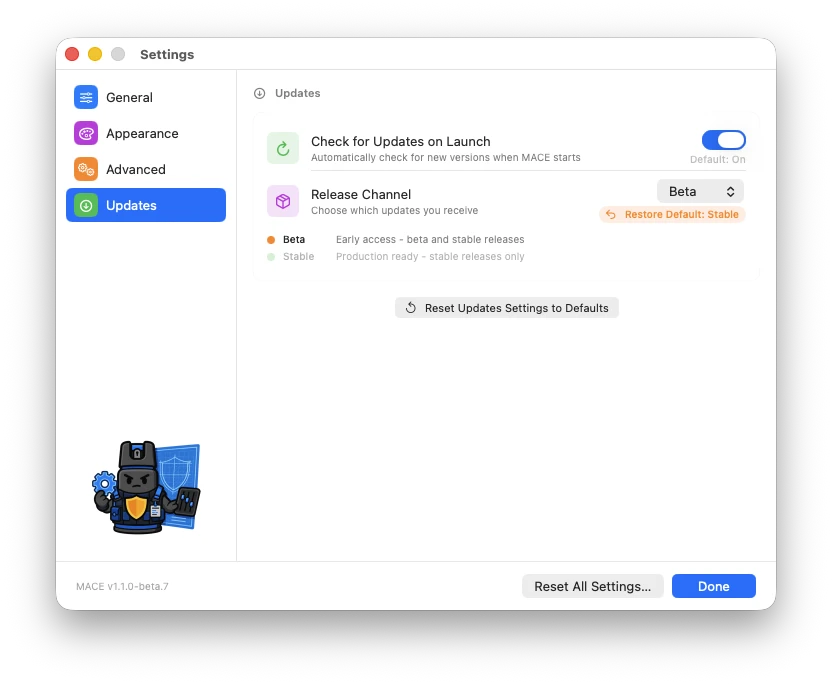
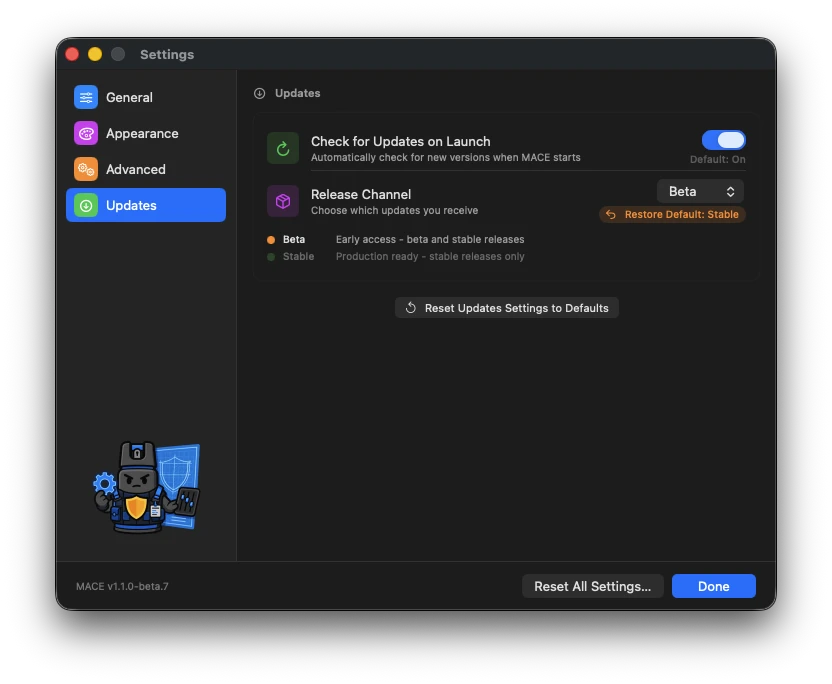
MACE checks for an update as soon as you close Settings, and from then on picks up beta and pre-release builds exactly the way it handles stable updates. Switch back to Stable anytime to return to release builds only.
Option 2: Download a Pre-Release
Grab the latest pre-release .dmg from the pre-releases list on GitHub (the newest one is at the top) and install it like any other build.
If you download a pre-release but don't switch the release channel to Beta in Settings → Updates, the app stays on the Stable channel. It will still update when the next stable release ships, but it won't see any later betas. Set the channel to Beta so you keep receiving new beta builds.
Beta OS Versions from mSCP
Beta isn't just about app builds. mSCP maintains development branches such as dev_27 where it tests rules for things that aren't out yet, like macOS 27. MACE can create projects straight from one of those branches.
- 1Open MACE ▸ App Settings… → General
- 2Under Rules, set Rules Source to a Beta (dev_…) branch. Click Refresh branches if the one you want isn't listed yet
- 3Create a new project. The versions, frameworks, and rules now come entirely from that branch
Ships as Release (main). See Settings → General → Rules for the full reference, including how to add forks under Additional Sources.
What to expect once a dev branch is selected:
| 🏷️ | The New Project sheet shows an orange Using beta branch badge. Click it to jump to the Rules Source setting. |
| ⚠️ | Before the project is created, a Beta mSCP Content alert reminds you the rules are pre-release and may not match what ships. Click Continue Anyway. |
| 📥 | The first project on a branch downloads it from GitHub. The branch is kept for offline use while Auto-Download Rules is on. |
| 🔀 | Each project remembers its branch. To move an existing project, use Rules ▸ Switch Branch… in the Compliance Editor, then Switch & Check for Updates. |
| 🧹 | Dev branches are retired once their rules ship on main. When that happens, opening the project shows Branch No Longer Available and offers the switch sheet so you can move to Release. |
| ⚖️ | Want to see what's coming before you switch? Baseline Compare can put a dev branch next to main. |
mSCP Needs Beta Testers Too
MACE isn't the only project that needs beta testers. The macOS Security Compliance Project lives on being cutting edge, and testing rules from its dev branches is how new OS versions ship ready on day one. If you spot a problem with a beta OS rule, report it upstream so the whole community benefits:

Found a problem with a rule or baseline from a dev branch? File it on the mSCP GitHub Issues.

Talk beta rules with the mSCP community on Mac Admins Slack.
Going Back to Stable
Not for you? Set the release channel back to Stable in Settings → Updates. Switching back does not downgrade the app; you simply stop seeing beta updates. From there you have two options:
Download the latest stable release from GitHub Releases and install it over your beta build.
Remain on your current version until the next stable release comes out and updates you normally.