How MACE Works

MACE turns government-sourced security compliance data into builds you can deploy.
It's a native macOS app that takes that data, lets you customize it for your organization, and outputs it in formats you can push directly to your fleet.
Where the Data Comes From

The security rules inside MACE come straight from the macOS Security Compliance Project (mSCP), a publicly hosted project on GitHub maintained in collaboration with NIST and various U.S. government agencies and security teams. It takes guidance from a wide range of government and industry security standards and turns it into structured YAML: rules, baselines, and remediation scripts, all published in the open. New frameworks and revisions land regularly.
By default MACE reads from the project's main branch. You can point new projects at an mSCP development branch, or a public fork, with the Rules Source setting (see Beta Testers). It's designed around the mSCP 2.0 unified codebase, which is where the single OS-agnostic rule set lives, rather than the older per-release branches that each covered one version of macOS.
Because MACE reads that data directly, you're always working against current government-vetted guidance. MACE also maintains a built-in rule library of its own for compliance options and mappings that haven't made it into the public project yet, so you get that coverage sooner.
Staying in Sync with mSCP
MACE pulls mSCP straight from GitHub and keeps a copy on disk. The rules you see are the ones the project published today, not whatever happened to be current the last time MACE shipped. There is a bundled copy inside the app, but it's a fallback for working offline.
Open MACE and it checks GitHub for the latest version of the mSCP repository. That's the Auto-Download Rules setting, on by default.
The repo lands in ~/Library/Application Support/MACE/RepoCache. Browsing rules and baselines reads from there, so nothing waits on the network.
Every MACE release carries a full copy of mSCP frozen on the day it shipped. A build released on June 24 has the June 24 library inside it. That's what an air-gapped or offline Mac falls back to, so everything still works, you're just pinned to that date until the Mac can reach GitHub again.
A new project gets a clone of the current mSCP. When you open an older one, MACE compares it against the latest copy of the branch it came from and asks whether you want to upgrade. It won't rewrite your work behind your back. You can also check any time with Rules ▸ Check for Rule Updates (Shift+Cmd+U).
Before you accept an upgrade, MACE lists every rule and file being updated, counts rules updated, rules removed, rules affecting your baseline, and project files changed, shows a What's Changing diff for each, and links out to the full mSCP changelog. Your own edits and exported baselines come through untouched.


mSCP moves quickly, so don't be surprised if upgrade prompts turn up often. That's the deal: a bit of churn in return for building against current guidance instead of a copy that's a year stale. And it's always your call. Nothing changes until you approve it.
What MACE Does With It
From there, the whole job happens in the app:
MACE loads the mSCP rule library and baselines so you can browse 800+ rules across every supported macOS, iOS, and visionOS release, without touching the command line or hand-editing YAML.
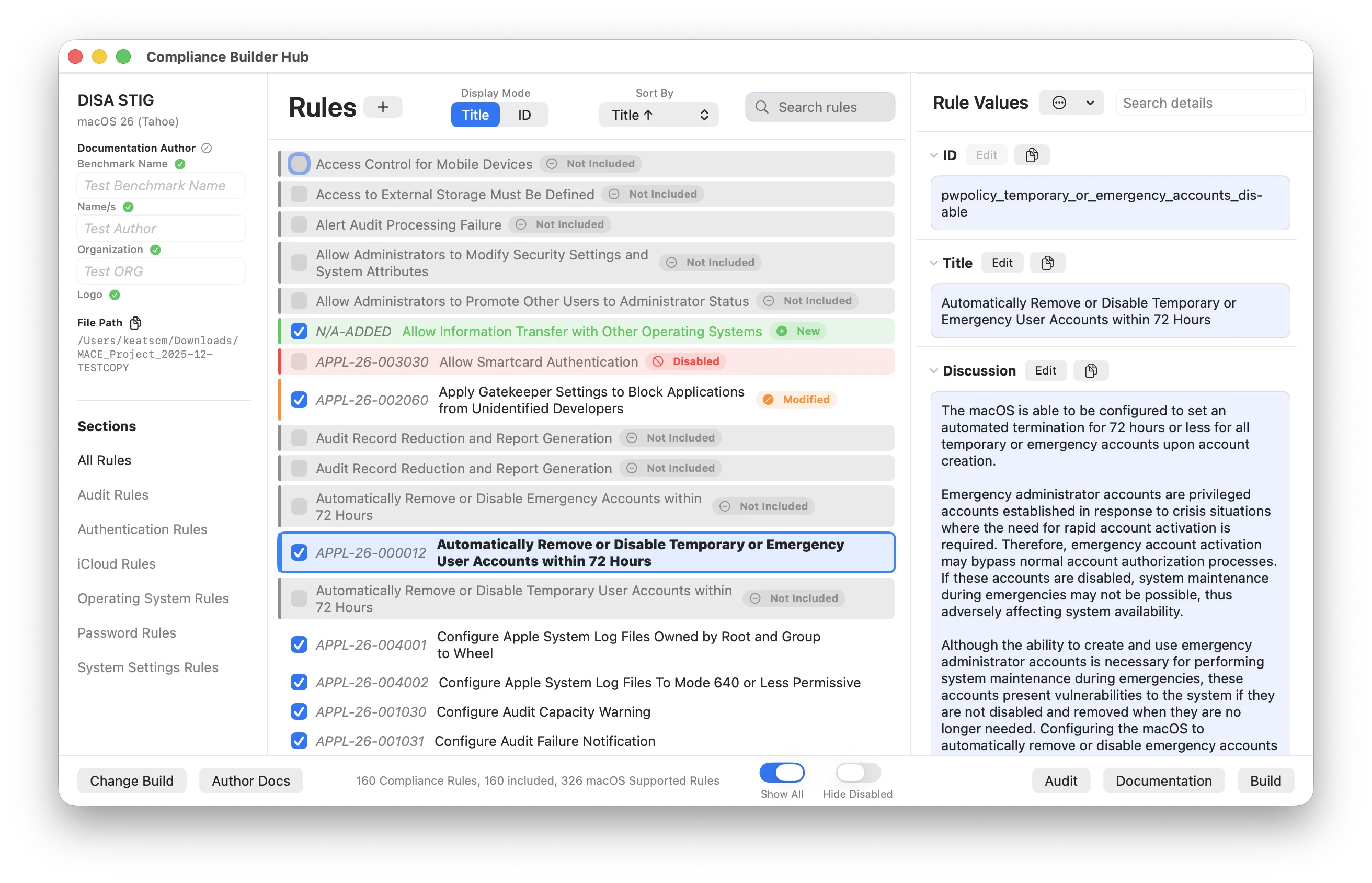
Turn rules on or off, set organization-defined values (ODVs), and shape baselines around what your environment actually needs. Every change is written back into the project on disk, the same edits you'd otherwise make by hand at the command line. Need something mSCP doesn't cover? Write your own rules and add them.
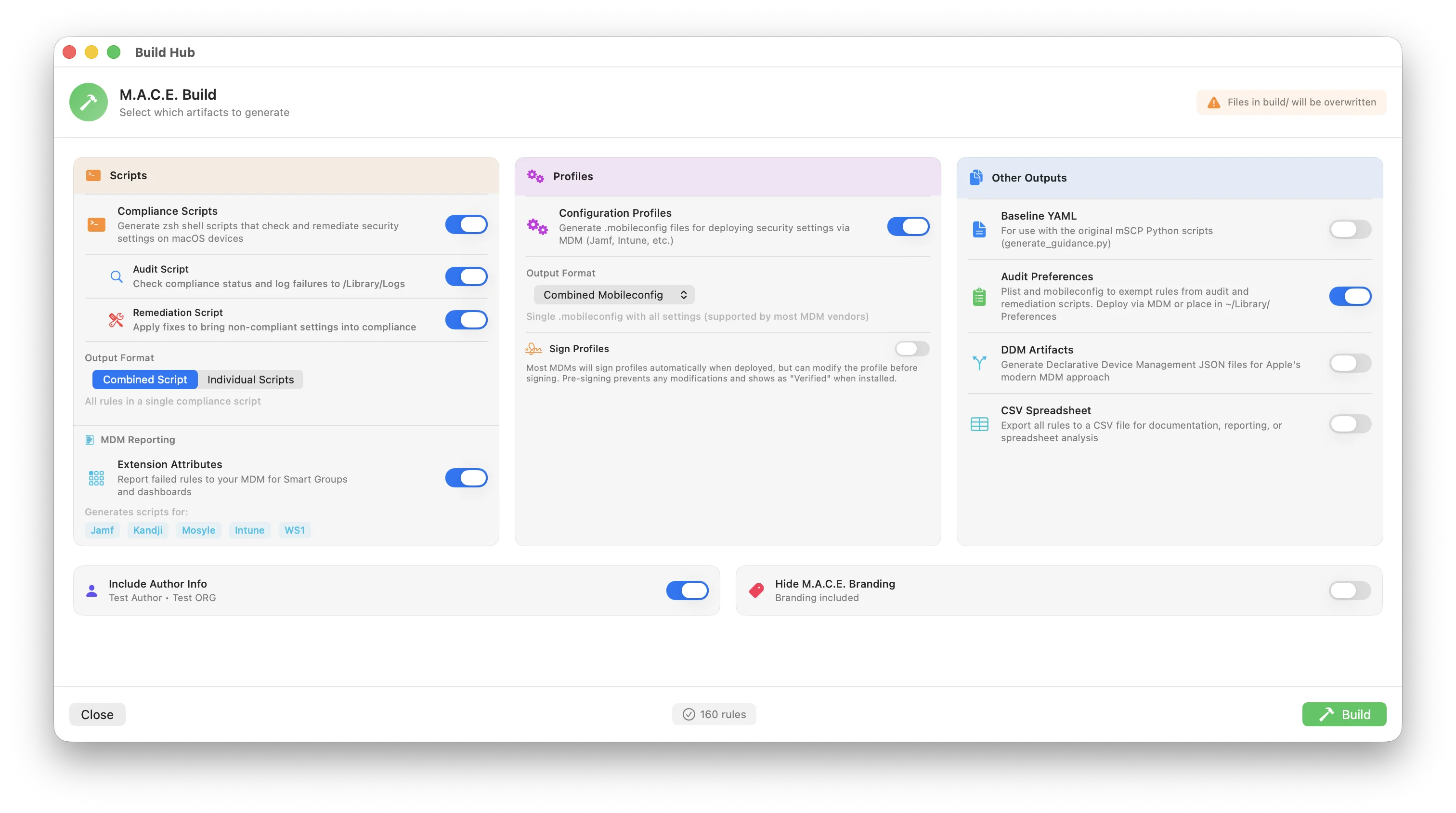
Send your baseline through the engine of your choice and get back deployment-ready output: shell scripts, configuration profiles (.mobileconfig), declarative device management (DDM), and signed profiles for your MDM.
Check compliance on a real Mac, before you deploy and again afterward, to see what's passing and what needs attention.
Produce readable documentation for your security team, your auditors, or leadership, showing which controls are in place and why.
Push the validated build to your production fleet through your MDM, then keep an eye on it with the audit scripts and extension attributes MACE generated along the way.
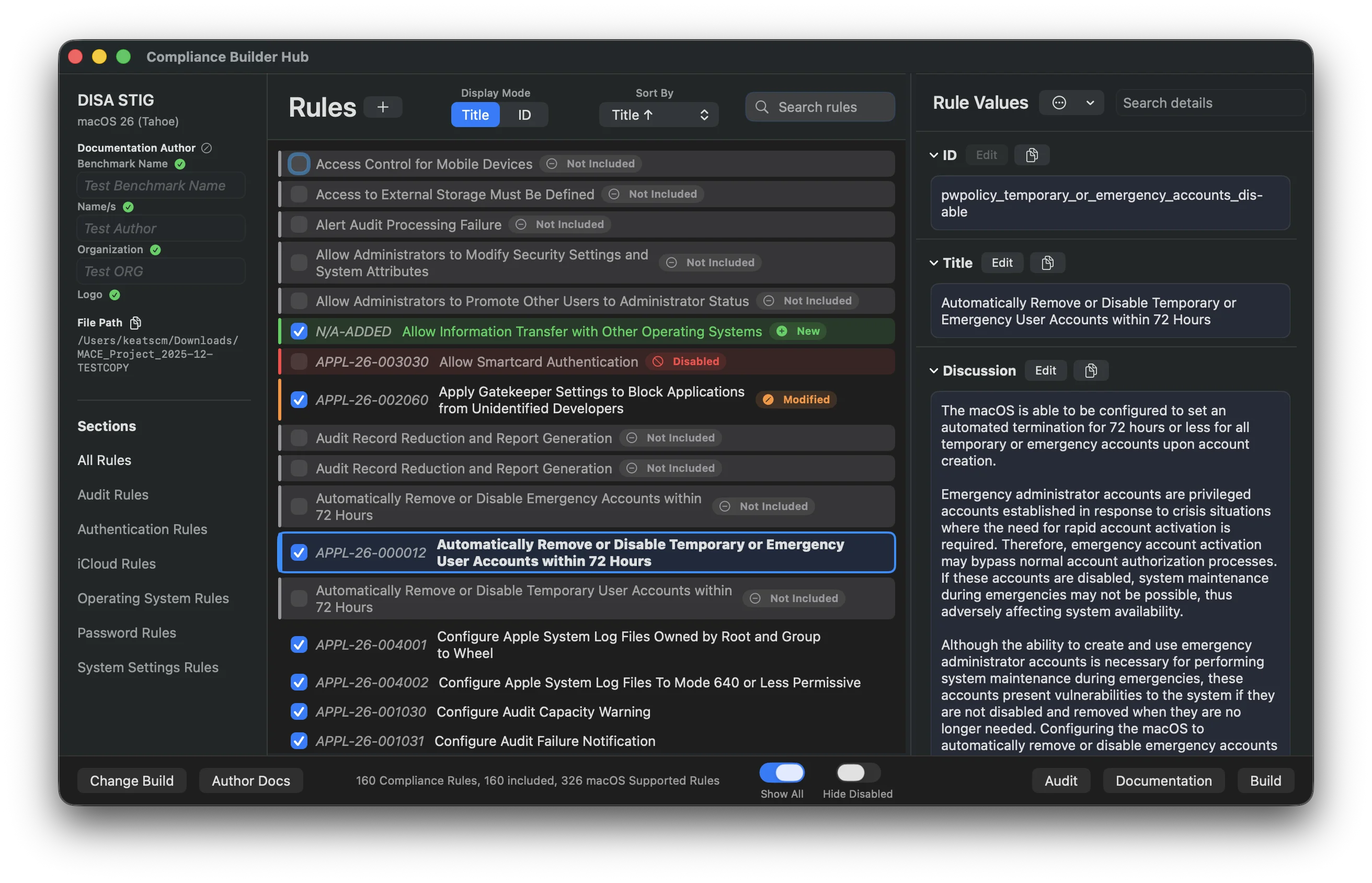
Most of that happens in the compliance editor, where every rule in your baseline is one list away and its details are editable on the spot:
The MACE Workflow
Build once, test on a small fleet, then deploy everywhere.
Where Each Step Happens
Each phase above lives in its own part of the app:
Two Engines, One Interface
Once you've finished adding, removing, and tuning rules, that project has to become something you can actually deploy. That's the engine's job, and MACE gives you two to choose from. Both read the same project and the same settings; what differs is how they run:

mSCP Engine
The original Python scripts, run exactly as the project intends. You get what the scripts expose, the same way you always have.
- Standard mSCP output formats
- Only the options the scripts offer
- Full mSCP compatibility

M.A.C.E. Engine
Built in Swift. Tweak almost everything about every output, with options the scripts were never built to expose.
- Tweak almost every setting on every output
- Visual and content control across Build, Audit, and Documentation
- Direct MDM export, and more on the way
Switch between them whenever you like. Your project and everything you've customized stays put.
What Runs Under the Hood
MACE brings its own runtime along, so there's nothing for you to install and nothing that touches the Python or development setup already on your Mac.
Python is bundled inside the app, and Ruby already comes with macOS. The first time you run the mSCP engine, MACE checks what dependencies mSCP currently wants (they change as the project moves) and installs them into their own environments at ~/Library/Application Support/MACE/python_env and ~/Library/Application Support/MACE/ruby_gems. Nothing goes system-wide.
Those environments stick around after that first run. Later builds only check whether mSCP's dependency list has changed, so you sit through setup once rather than on every build.
The M.A.C.E. engine skips all of that and does the work in native Swift, so there's no Python, no gems, and no dependency check to wait on.
Either engine gives you what you asked for: Build artifacts (scripts, profiles, DDM), Audit checks to run against a Mac, or Documentation for your team and auditors.
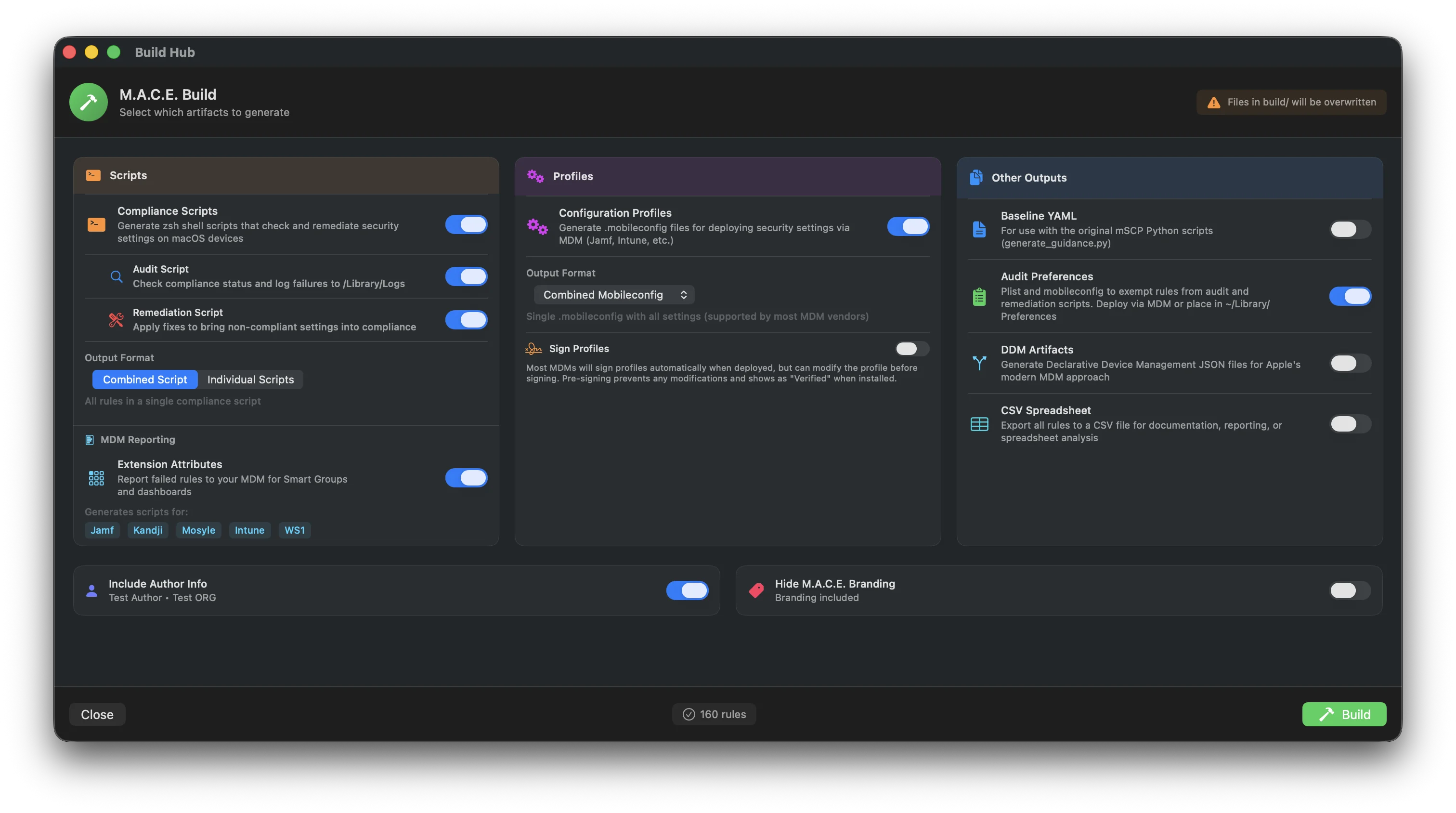
You pick all of that in the build hub before anything runs: